 Blackbody
Moving shots and scene import#
Bring the shot's camera, objects and lights in from your 3D package or tracker, follow a handheld camera with the 2D tracker, and use volumes from other programs as smoke.
Moving shots#
- Any camera move with the ground in view, no 3D solve: line up the ground (Tracking › Line up the ground), then Tracking › Track (Ctrl+T). Blackbody works out where the camera is and where it looks on every frame: pans, tilts, handheld shake, dollies, walks and drone moves, in real metres. The effect stays put on the ground in perspective. See Following the camera move.
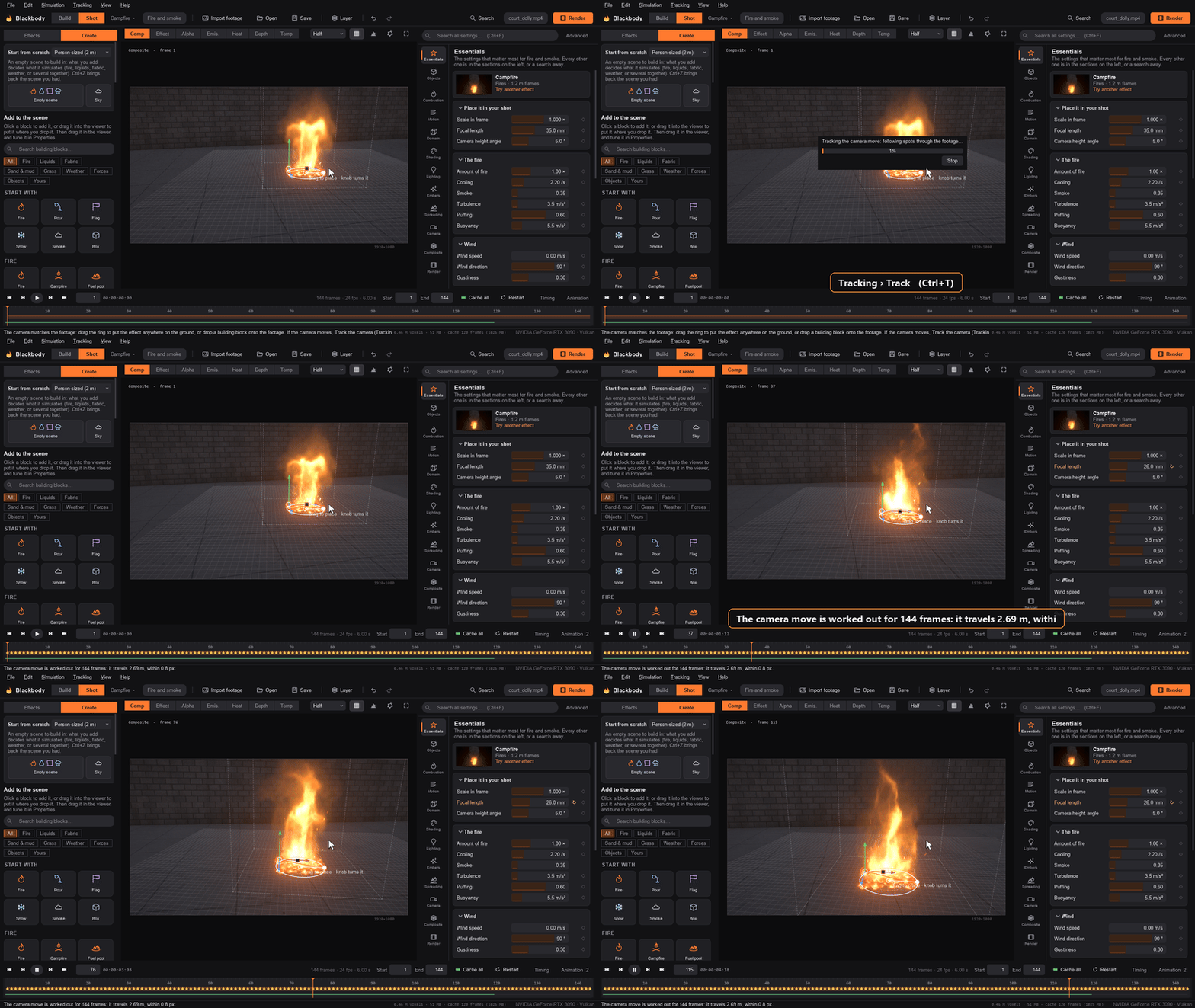 - Pinned in 2D: with no ground lined up, park the fire where it should be, then Tracking › Track (Ctrl+T). The fire follows that point through the shot. Dragging the ring afterwards offsets the whole track. Pick a spot with texture or a corner; the tracker follows position only, not rotation, scale or perspective.
-
Matchmoved shots: File › Import camera track (.chan). This covers exports from Nuke, Blender, SynthEyes, 3DEqualizer and PFTrack. The camera switches to Free mode. Place the fire in the tracked scene with Camera › Fire position (metres, y up).
-
Keyframes: click the ◆ next to a setting to key it on the current frame. Changing an animated setting keys it automatically. Keyframe Master fuel (Combustion) to ignite, grow or extinguish a fire.
Scene import (USD)#
File › Import USD scene brings the camera, objects and lights in from a USD file (.usd, .usda, .usdc, .usdz; Blender, Houdini, Maya, Cinema 4D and most trackers export it).
-
Camera: Blackbody's free camera, keyed on every frame (position, rotation, focal length and sensor width).
-
Objects become colliders (or emitters): polygon meshes, meshes inside instances (instanceable references), skinned characters (the skeleton's animation is baked into the mesh), point instancers (every instance of every prototype, as one object, with instancers inside instancers expanded too), Cube, Sphere, Cylinder, Capsule and Cone prims, curves, points and volumes. A cube, a sphere or an upright cylinder becomes the exact collider shape; other shapes become meshes.
- Curves (basis curves: linear, Bézier, B-spline and Catmull-Rom; NURBS and Hermite curves through their points) become tubes as thick as their widths (2 cm without widths): cables, ropes, hair, branches.
- Points come in as the prim describes them. A particle system (points that move from frame to frame, or carry velocities: sparks, dust, a pyro source, a FLIP sim's particles) becomes a source like a volume: its points are splatted into a field, each a soft ball as wide as its width (at least a cell of the field), and the field moves with the points' velocities. Still points without velocities (gravel, debris) become solid balls as wide as their widths; Volumes and particles become › Solid objects makes a particle system balls too. A ball is an 80-triangle sphere (20, or an octahedron, when there are too many points for that), sized to hold the ball's own volume.
- Volumes become smoke: a Volume emitter that fills the box with the volume's smoke (or keeps it topped up, when the volume's file is animated). In a liquid scene they (and particle systems) become liquid sources that fill once: the water a liquid sim left, carried on. With Volumes and particles become › Solid objects in the import dialog they become the solid their field describes instead: a fog volume's thick part (above a quarter of its densest values) or a level set's inside, cell by cell, at up to 160 cells a side. The VDB is read by Blackbody itself (float and vector grids, ZIP or Blosc compression with LZ4 or zlib, byte- or bit-shuffled, half or full floats). Blosc's Zstd codec is read through the
zstandardpackage (pip install zstandard) when it is installed, or Python's own from 3.14; without it, such a VDB has to be saved again with ZIP or LZ4.
An object that stays still or moves without changing shape keeps its shape and is placed and keyed by position, rotation and size; one that deforms, or tumbles, is baked frame by frame.
- Lights: the first distant light becomes the key light (direction, colour, colour temperature and intensity; a lux value such as USD's default 50 000 maps to a Key intensity of 3), the first dome light becomes the ambient light, and its texture the environment image. Sphere, disk, rectangle and cylinder lights become lights in the set: point lights, area lights, or spot lights when their shaping cone is narrower than a hemisphere, with the intensity their surface gives off.
- A light with an IES profile (shaping:ies:file) takes it as its Light profile, the light's own intensity setting its brightness. A disc or rectangle light with one becomes a point light through it, since the profile describes how the whole fixture spreads its light and Blackbody's panels take none.
- A light whose shadows are switched off (shadow:enable) casts no smoke shadows.
- A portal light becomes a panel as big as the portal, letting the first dome light's light in through it (the dome's intensity and colour times the portal's own).
- A geometry light (GeometryLight, or a mesh with MeshLightAPI) becomes a point light at the centre of its geometry, as big as the geometry and as bright as its surface gives off (a quarter of its area, as a ball's outline is of its surface); the mesh itself still comes in as an object.
-
Any distant and dome lights after the first are reported, not imported, and a rectangle light's texture is not used.
-
Frames: Use the USD file's frame range and frame rate (on by default) sets the shot's first and last frame and its frame rate. Frame offset renumbers the shot: with 1000, USD frame 1001 becomes frame 1, the camera, objects and lights keyed to match, and objects that change (deforming meshes, sequences of volumes, moving particles) read the USD 1000 frames on through their Mesh frame offset. The offset goes up to 100 000 frames either way. The command line does the same with
--usd(see Command line). -
Invisible prims and guides are left out. Units and the up axis are converted (the stage's metres per unit; Z-up stages are turned y-up), and objects land where they are in the USD scene relative to Camera › Fire position. A single object can also be picked from a USD file as any mesh (
shot.usd#/World/Car).
Alembic (.abc) has no reader for Python on Windows: convert it to USD first (Blender: File › Import › Alembic, then File › Export › Universal Scene Description; Houdini and Maya export USD directly).
Smoke from a volume (OpenVDB)#
An emitter's Shape › Volume (VDB) takes an OpenVDB file from Houdini, Blender, EmberGen or Blackbody itself, a numbered sequence of them (smoke.####.vdb), a Volume prim in a USD file, or a USD Points prim (its particles, splatted). Its density grid is the smoke; a temperature grid, if it has one, is its heat; a velocity grid (vel, v or velocity, or three float grids vel.x, vel.y and vel.z) is how it moves. Volume sets what the emitter does with it:
- Fills the box with its smoke, once: at Ignite at the smoke goes in as it is and then moves with the air, as a cloud of smoke, a gas leak or haze.
- Keeps it topped up: every step while it is on, the smoke is kept at least as thick as the volume, so an animated sequence (an explosion from another program) drives the smoke and the simulation carries it on.
- Releases where it is dense: a source that releases at the emitter's rates wherever the volume is dense.
For the first two, Smoke and Fuel are the amount where the volume is densest and Heat is its temperature. Position, Size and Rotation place the volume; Z-up file turns a Blender VDB up the right way. Fuel in the volume burns like any other: a VDB gas cloud goes up in a flame front.
- Its motion: where the volume is dense, the air takes up the volume's own velocity, turned and scaled with it, as firmly as Velocity from the volume says (1 by default; 0 lets the smoke start still, as before). It works on its own, on top of the emitter's Velocity at its Velocity strength: with Velocity strength 1 and Velocity from the volume 0.2, the air takes the emitter's Velocity fully and a fifth of the volume's. An explosion that fills the box goes in moving outward as it did in the file; one kept topped up keeps moving as the file does.
- A sequence is blended from one frame to the next, as deforming meshes are: all its frames go on one grid (the union of the frames' boxes, read from the files' headers), and between frames the field is a mix of the two around the moment.
- Detail: a volume keeps the file's own voxels down to half a simulation cell (finer adds nothing the simulation can use), up to 512 cells a side and 24 million in all, with all its layers (density, temperature, velocity) in one 2048-cell column of the GPU's atlas. A volume turned other than by quarter turns (a tilted USD Volume prim) is resampled on the upright box around it, and it is that box that keeps to these limits, so it comes out a little coarser than the same volume upright.
- Liquid: in a liquid scene (or with Emits › Liquid) a Volume emitter is a liquid source that pours where the volume is at least a quarter as dense as its densest, its water starting with the volume's velocity. A sequence pours from its first frame (it does not change what it pours as it plays).
Something wrong or missing on this page? Edit it on GitHub.