 PCBPro
Free, open-source PCB design
Lay it out. Play it. Order it.
PCBPro is a PCB designer for guitar pedals, amps and everything else. Lay out the board, see it in 3D, run the circuit and play your guitar through it before you build it, then order the boards and the parts.
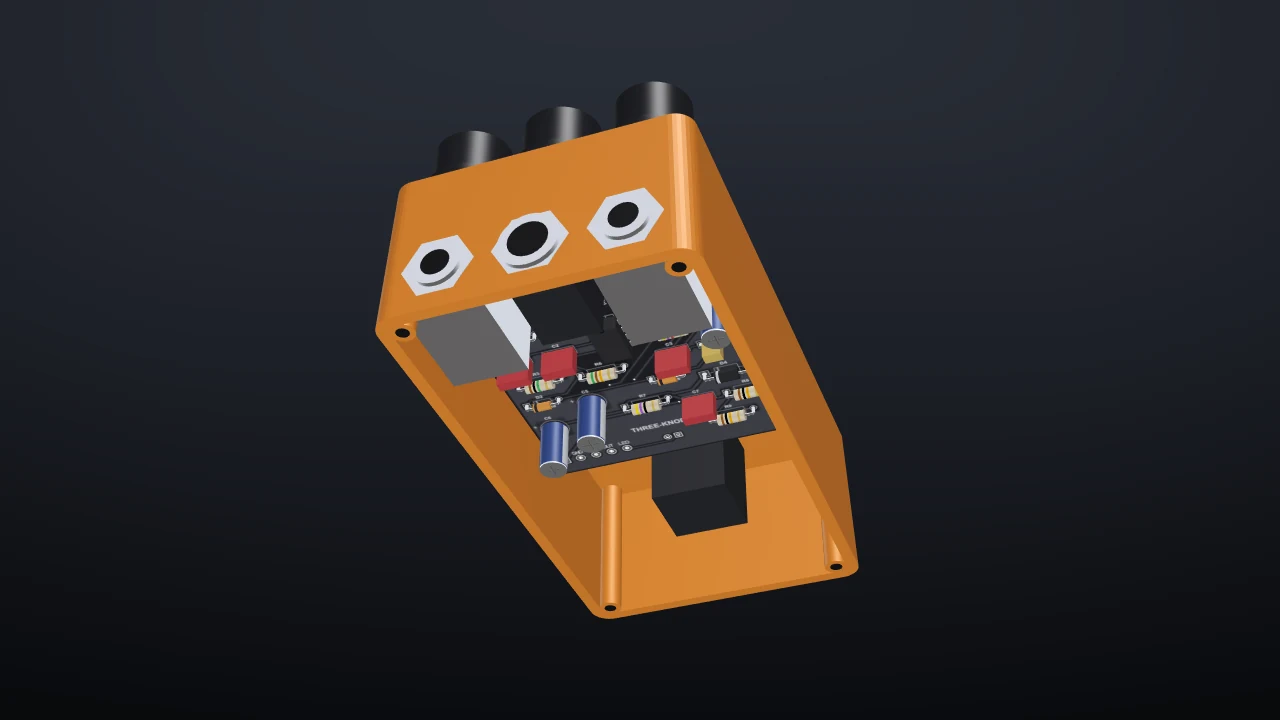
PCBPro at work: a pedal in its box, the Amp Designer, the autorouter, a board running in the simulator, and a tube amp in 3D. Every frame is the app itself.
Guitar pedals
From an empty box to a drilled pedal
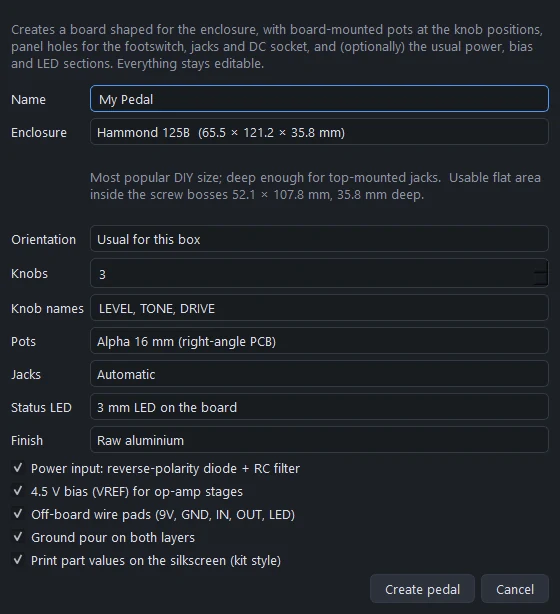
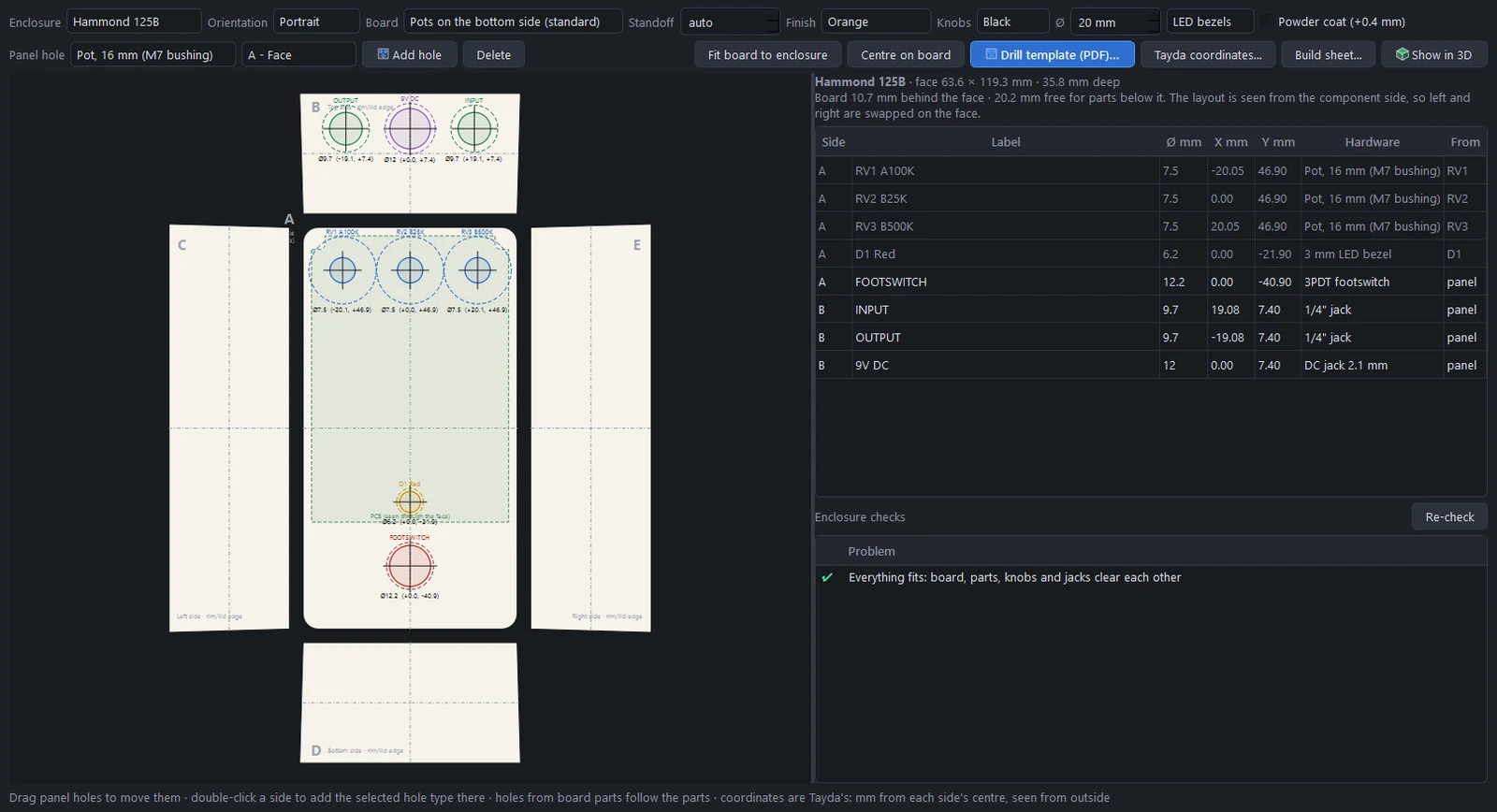
Pick a Hammond enclosure and your knobs, and PCBPro shapes the board for the box, places the pots, adds the power and bias sections and the wire pads. When the circuit is done, it drills the box from the board.
- Nine Hammond boxes, with their cavities, depths, drafts and screw bosses
- Pots hang under the board, so every drill coordinate is mirrored for you
- A 1:1 drill template, Tayda coordinates and a build sheet grouped the way you shop
- Checks that the board, parts, knobs and jacks all fit and clear each other
The Amp Designer
Describe the amp. Get the whole build.
Choose guitar or bass, tube or solid state, a voicing from Blackface clean to five-stage extreme high gain, a power stage from 5 to 100 W and the features you want. The designer assembles a proven circuit and works out everything else.
- Operating points for every tube and every B+ node, and the transformers to buy
- The gain of every stage and where the volume knob starts to break up
- A first power-up checklist and a voltage chart for every tube pin
- A placed, routed board with high-voltage spacing from IPC-2221B
Amp boards built like amp boards
Tubes stand along the rear edge in their sockets, drawn in 3D with glass, plates and glowing heaters. Controls sit on the front edge. Each stage is packed between its tube and its knobs, and the supply is at the far end from the input.
- Design rules from each net's voltage: pads and tracks spaced pair by pair
- Checks for capacitor and resistor ratings, bleeders and tube wiring
- A tone stack designer with real pot tapers, and 24 tubes with their pinouts
Listen
Hear it before you build it
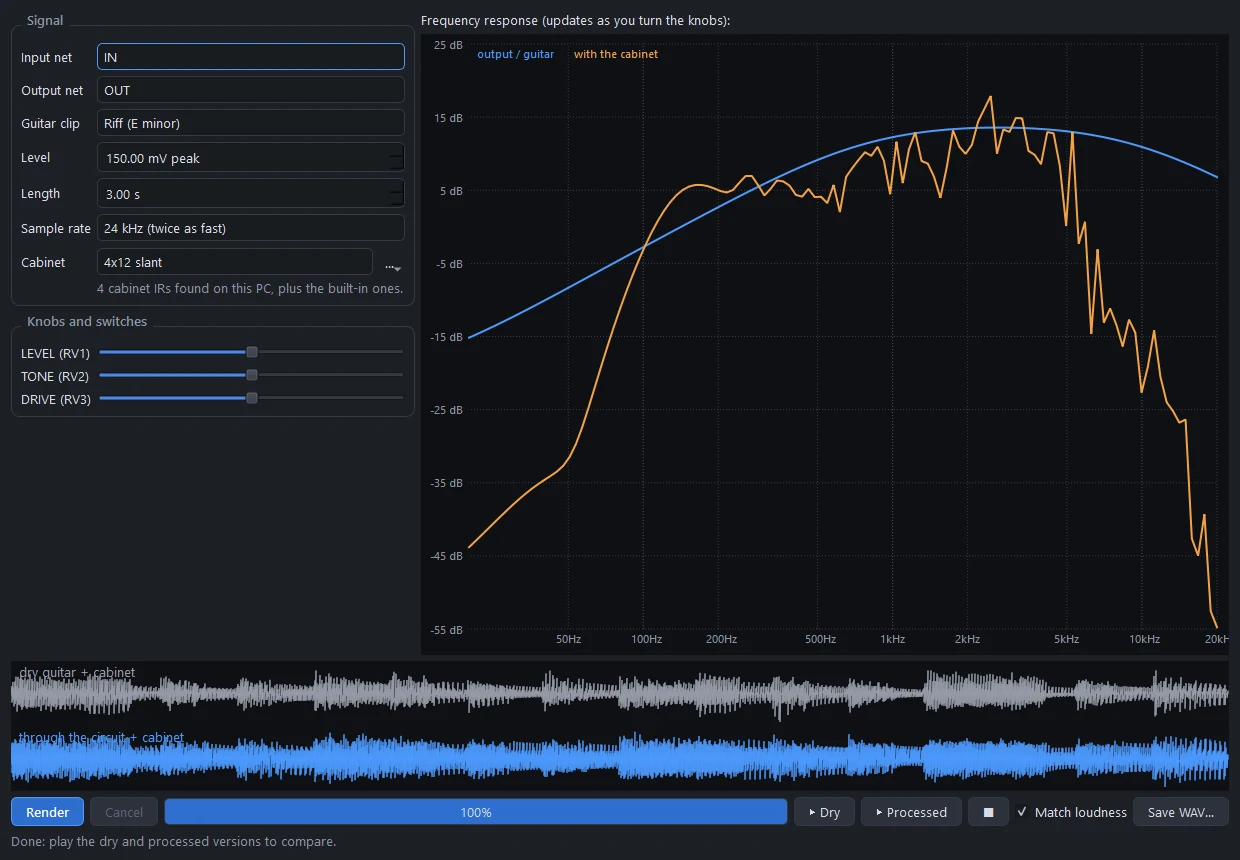
Every clip here is a modelled guitar DI played through a board PCBPro designed, simulated part by part, tube by tube, then through one of the built-in cabinet impulse responses. Nothing else was added. The app's Listen tab and Audio play-through make the same sound, and Play live runs your own guitar through the circuit in real time.
Amp Designer voicings
Tightness: how much bass reaches the distortion
The bundled pedals
Rendered at 48 kHz with 2× oversampling by tools/docs_media/audio_clips.py, normalised to the same loudness. Your own DI recording works in the Listen tab and Audio play-through.
High-gain amps and metal pedals → Playing guitar through it →
Simulation
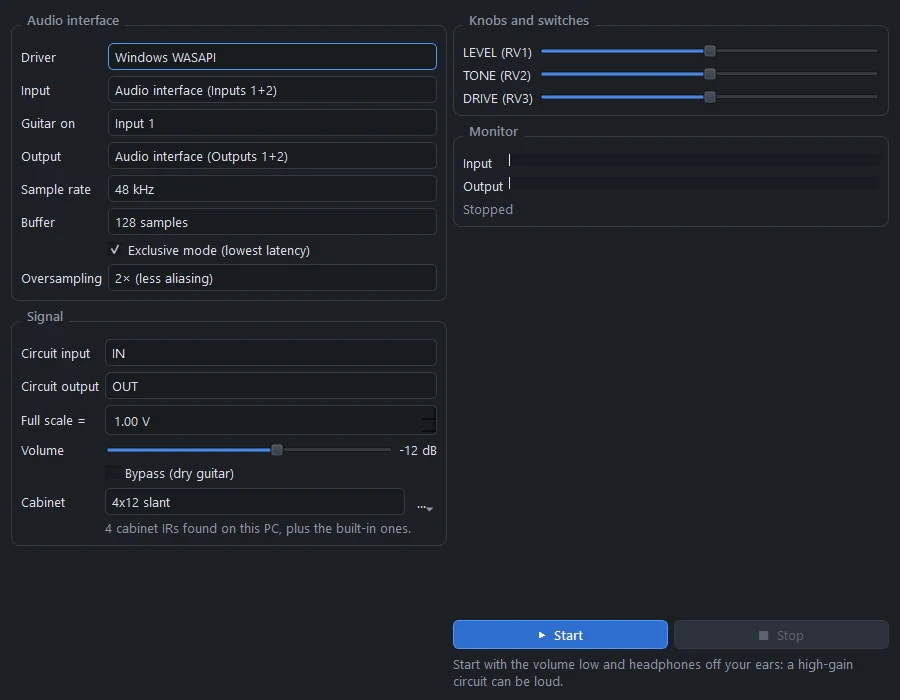
Press Run and the board comes alive
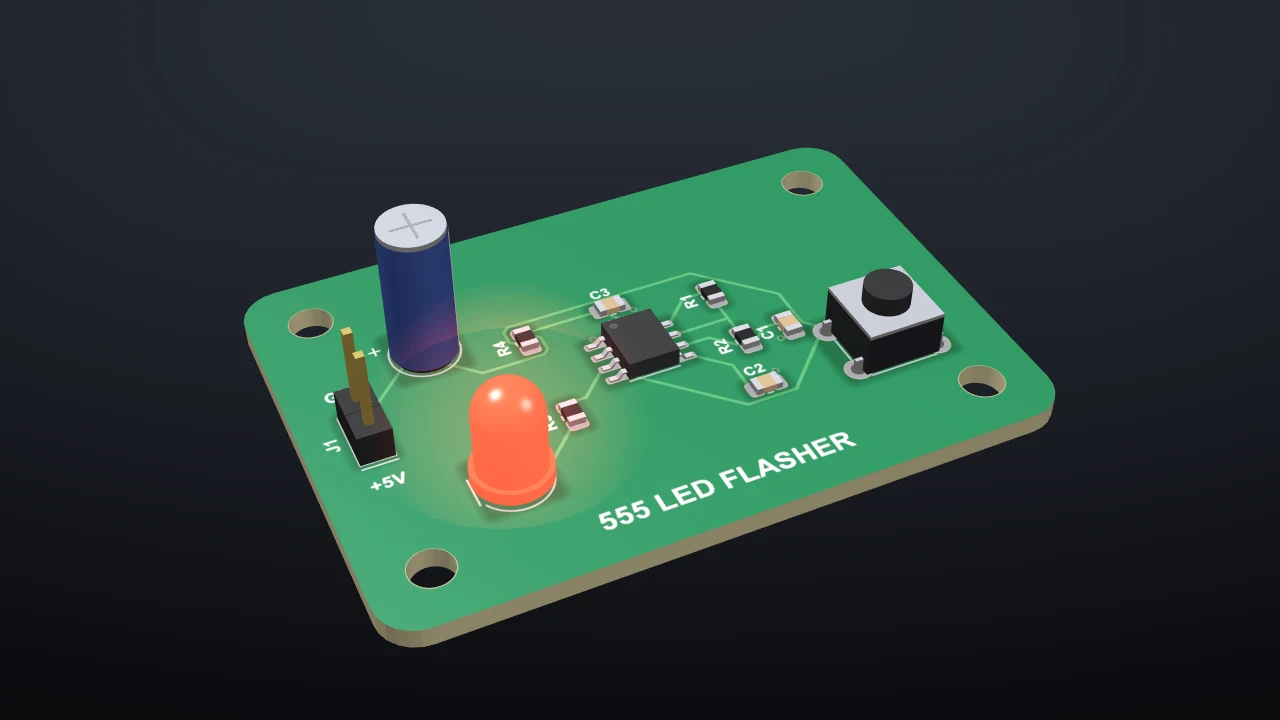
LEDs light and blink, copper is tinted by its voltage, overstressed parts start to smoke, and buttons, switches and pots work. Double-click a net to put it on the oscilloscope. It's all PCBPro's own solver, so there's nothing else to install.
- Analog parts, op-amps, 555s, regulators, logic chips and 220 real parts by number
- Vacuum tubes with Koren's models, calibrated to their datasheets
- ATmega and ATtiny chips running your real compiled firmware, with a serial monitor
- As built mode follows the copper, so a missing track really leaves the LED dark
The editor
Everything a board needs
A layout editor that works from the board: place parts, connect their pads, route by hand or let the autorouter do it, pour the ground, and check it all.
Route by hand, or don't
- A 45° interactive router that shows clearance problems before you make them
- An autorouter with vias, layer directions and pour nets stubbed in last
- Copper pours with thermal reliefs, priorities and island removal, refilled after every edit
- Net classes, and a design rule check you can click through
 Built-in parts
Over a million parts
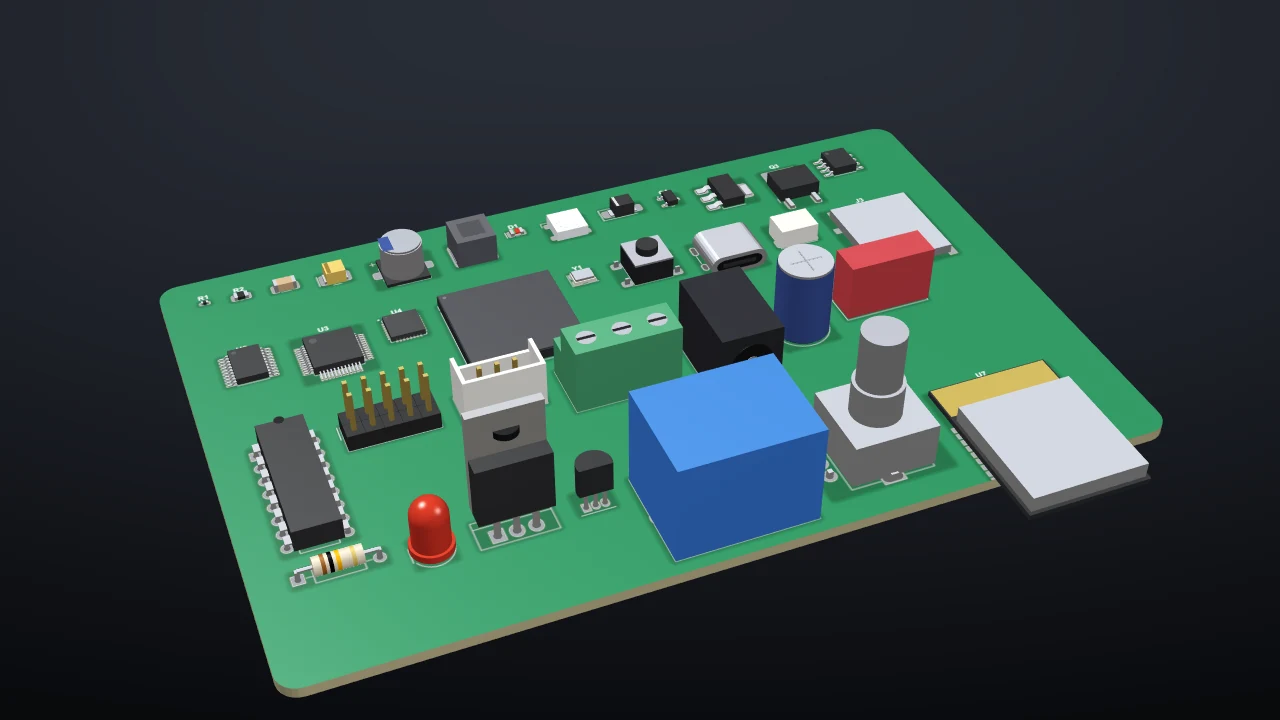
- 1,200+ generated footprints, every size and pin count, each with a 3D model
- About 265 real parts by manufacturer part number
- Any of LCSC's million-plus parts by its C-number, with its real footprint
- The official KiCad library's 15,000+ footprints, one click to download
- Footprints checked pad by pad against KiCad's datasheet-based library
Build it
From the screen to your bench
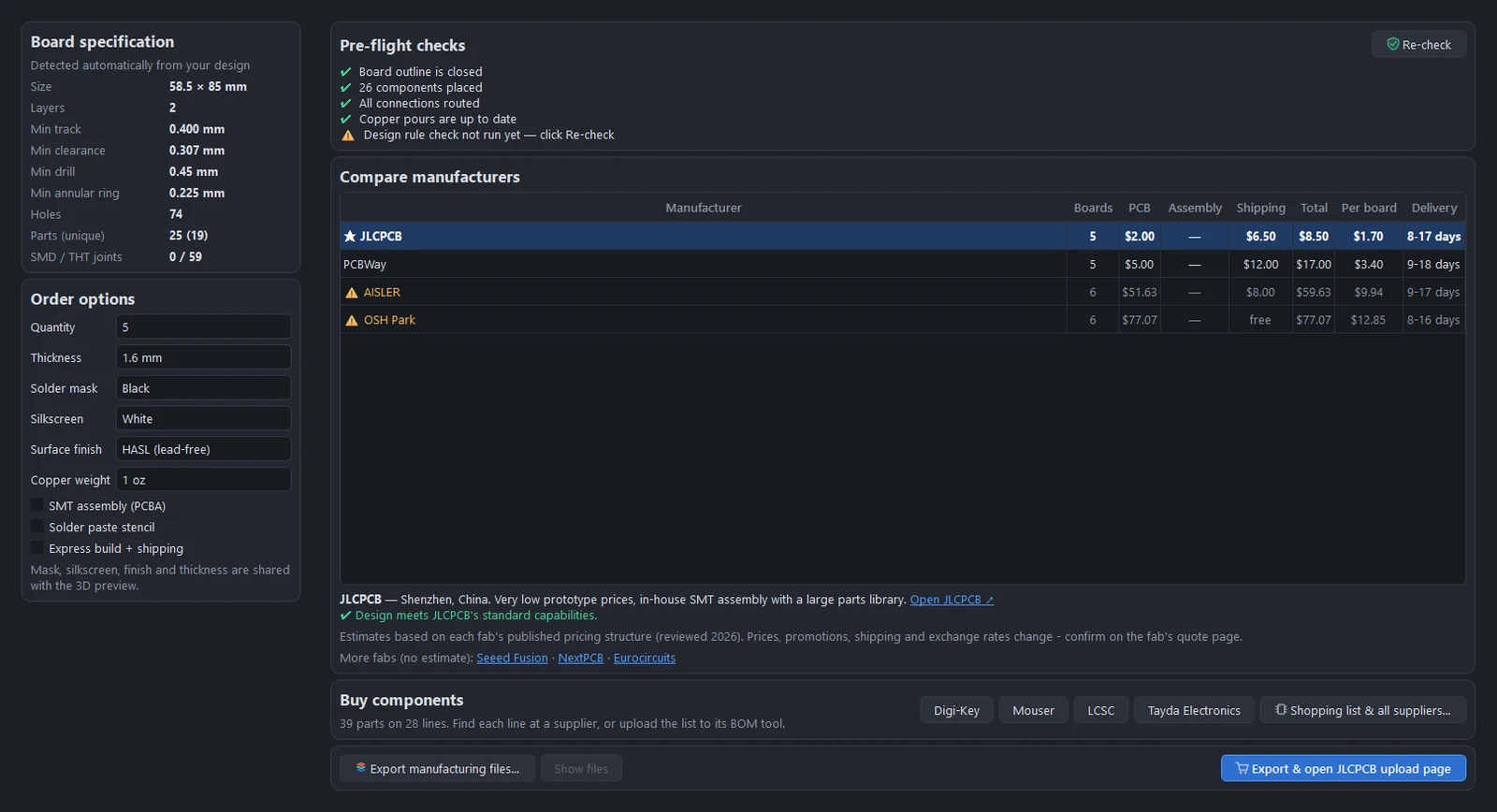
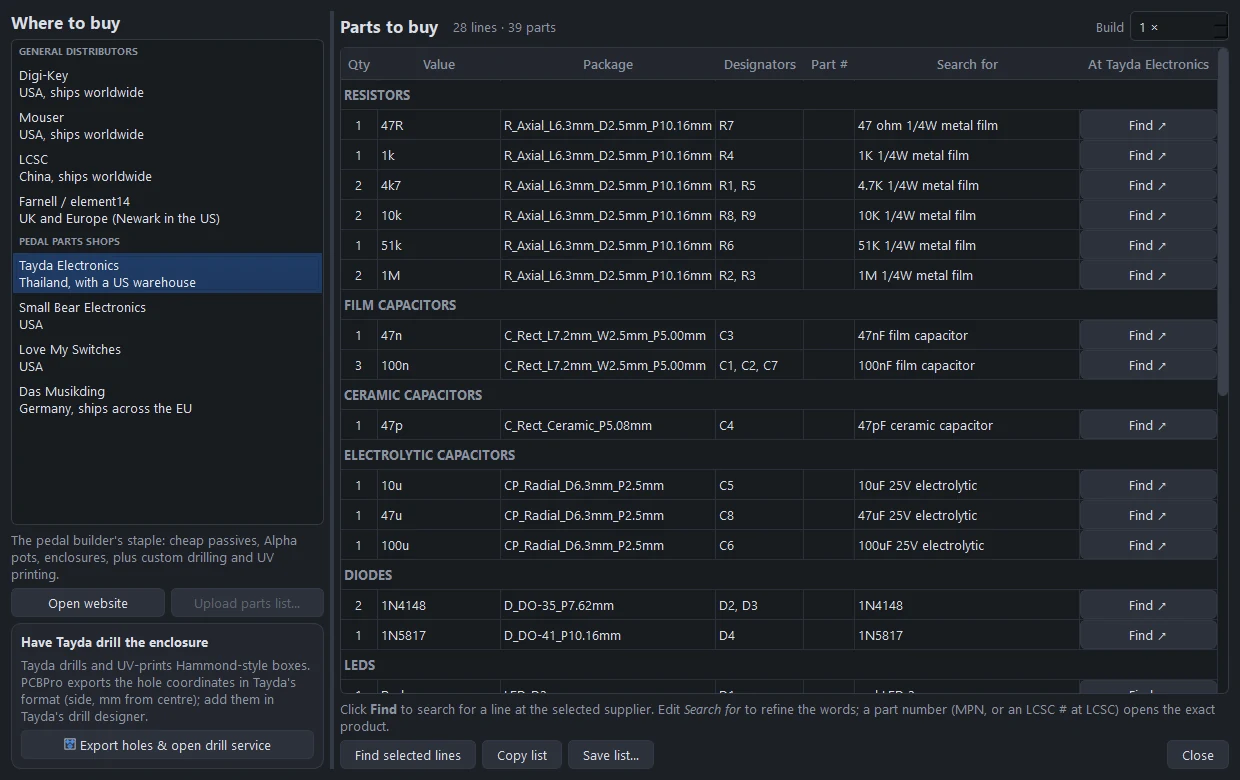
Gerbers, drill files, BOM and pick-and-place in one click, a price and delivery comparison across four fabs, and a shopping list with a search link at the shop of your choice.
Under the hood
Engineering, not guesswork
Footprints are checked against datasheets, Gerbers against an independent parser, tube models against their datasheets, and the real-time audio model against the offline simulator. About 1,850 tests run on every change.
Get PCBPro
Up and running in a minute
The Windows download is a folder you unzip and run: no installer, no account. Or run it from source anywhere Python runs.
Windows
Download the latest release, unzip it anywhere and double-click PCBPro.exe.
From source
Python 3.10 or newer. PCBPro.bat on Windows, ./pcbpro.sh on macOS and Linux.
git clone https://github.com/gjnail/pcbpro.git
cd pcbpro
./pcbpro.sh
PCBPro is free. If it saved you a board, a box or a blown fuse and you'd like to say thanks, you can buy me a coffee.
Support on Ko-fi